
投稿文章:解密APP加密数据
简介:
如今,在做APP安全测试的时候,越来越多的APP数据使用加密传输,一般的做法都需要去逆向APP并寻找到加解密算法。
ps:针对两款有不同加密方式的iOS应用,难度由低到高进行展开叙述。
案例一: 首先解决挂代理抓不到包的问题
使用objection ios sslpinning disable绕过证书绑定
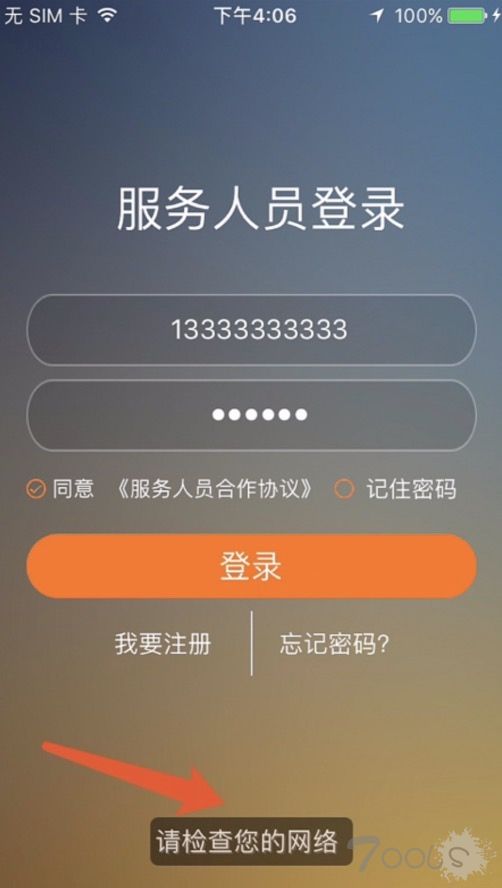
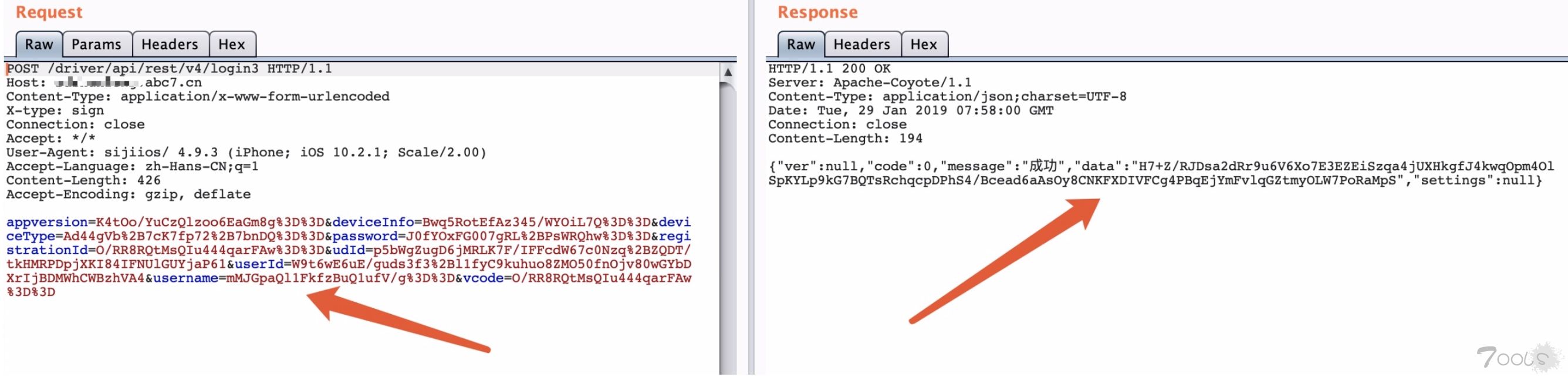
在登录处抓包发现,request包和response包都为加密传输:
appmon提供的scripts
[url]https://github.com/dpnishant/appmon/tree/master/scripts/iOS[/url]
hack.lu提供的scripts
[url]https://github.com/theart42/hack.lu/tree/master/IOS/Notes[/url]
通过参考github上的js脚本,改写了个较为全面的hook.js脚本:
// Intercept the CCCrypt call.
Interceptor.attach(Module.findExportByName('libcommonCrypto.dylib', 'CCCrypt'), {
    onEnter: function (args) {
        // Save the arguments
        this.operation   = args[0]
        this.CCAlgorithm = args[1]
        this.CCOptions   = args[2]
        this.keyBytes    = args[3]
        this.keyLength   = args[4]
        this.ivBuffer    = args[5]
        this.inBuffer    = args[6]
        this.inLength    = args[7]
        this.outBuffer   = args[8]
        this.outLength   = args[9]
        this.outCountPtr = args[10]

        console.log('CCCrypt(' +
            'operation: '   + this.operation    +', ' +
            'CCAlgorithm: ' + this.CCAlgorithm  +', ' +
            'CCOptions: '   + this.CCOptions    +', ' +
            'keyBytes: '    + this.keyBytes     +', ' +
            'keyLength: '   + this.keyLength    +', ' +
            'ivBuffer: '    + this.ivBuffer     +', ' +
            'inBuffer: '    + this.inBuffer     +', ' +
            'inLength: '    + this.inLength     +', ' +
            'outBuffer: '   + this.outBuffer    +', ' +
            'outLength: '   + this.outLength    +', ' +
            'outCountPtr: ' + this.outCountPtr  +')')

        if (this.operation == 0) {
            // Show the buffers here if this an encryption operation
            console.log("In buffer:")
            console.log(hexdump(ptr(this.inBuffer), {
                length: this.inLength.toInt32(),
                header: true,
                ansi: true
            }))
            console.log("Key: ")
            console.log(hexdump(ptr(this.keyBytes), {
                length: this.keyLength.toInt32(),
                header: true,
                ansi: true
            }))
            console.log("IV: ")
            console.log(hexdump(ptr(this.ivBuffer), {
                length: this.keyLength.toInt32(),
                header: true,
                ansi: true
            }))
        }
    },
    onLeave: function (retVal) {
        if (this.operation == 1) {
            // Show the buffers here if this a decryption operation
            console.log("Out buffer:")
            console.log(hexdump(ptr(this.outBuffer), {
                length: Memory.readUInt(this.outCountPtr),
                header: true,
                ansi: true
            }))
            console.log("Key: ")
            console.log(hexdump(ptr(this.keyBytes), {
                length: this.keyLength.toInt32(),
                header: true,
                ansi: true
            }))
            console.log("IV: ")
            console.log(hexdump(ptr(this.ivBuffer), {
                length: this.keyLength.toInt32(),
                header: true,
                ansi: true
            }))
        }
    }
})
使用frida hook CCCrypt函数
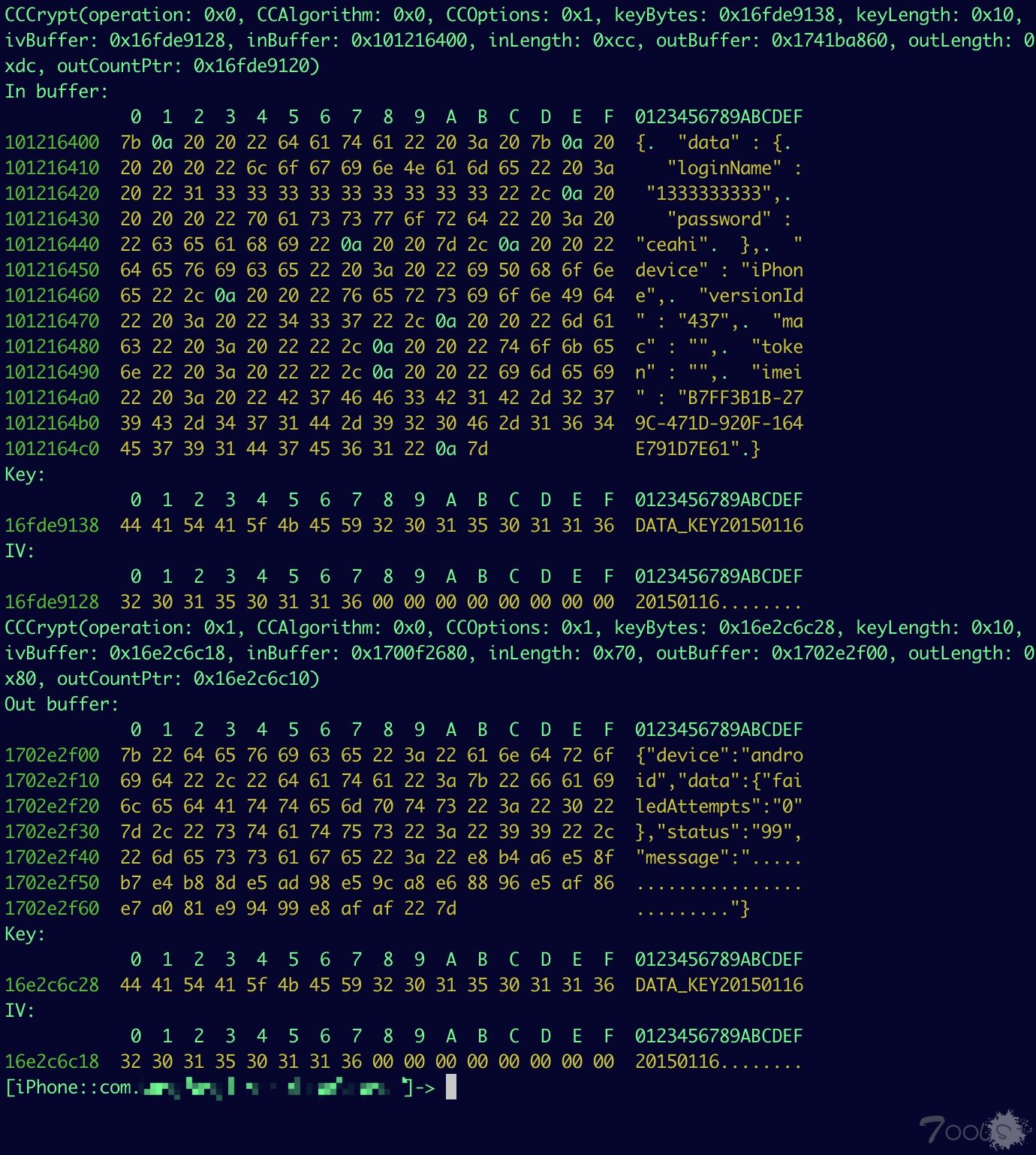
Tips:operation: 0x0代表加密,0x1代表解密,CCAlgorithm: 0x0指加密方式是kCCAlgorithmAES128,CCOptions: 0x1指模式是cbc,key=DATA_KEY20150116和iv=20150116
案例二:
在登录处抓包发现,request包和response包都为加密传输:
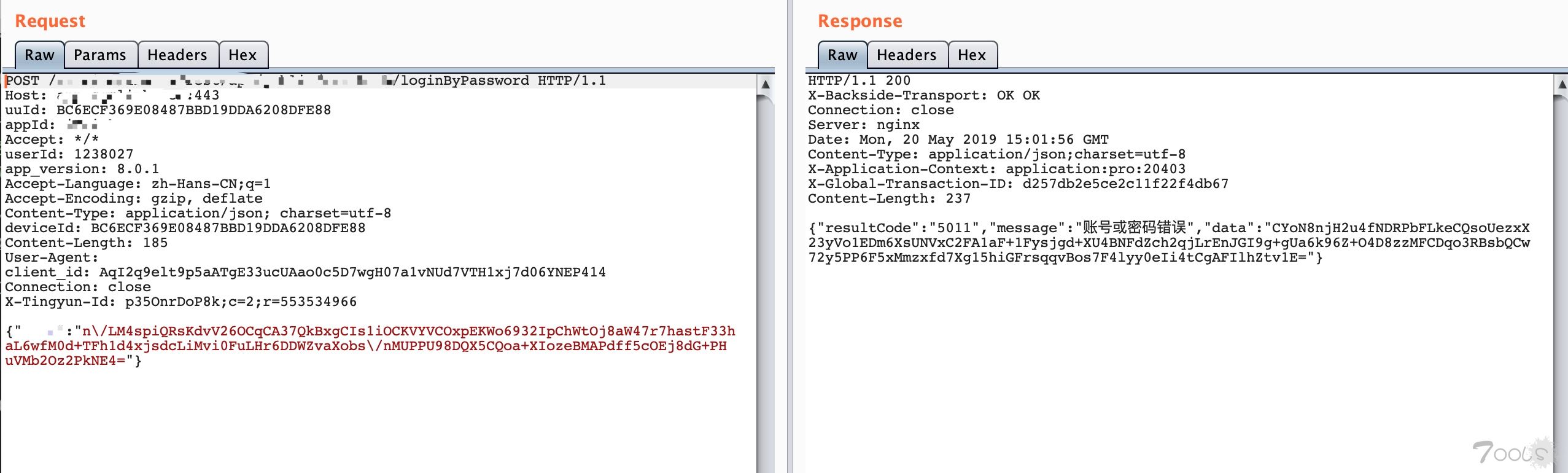
使用hook.js脚本发现hook不到
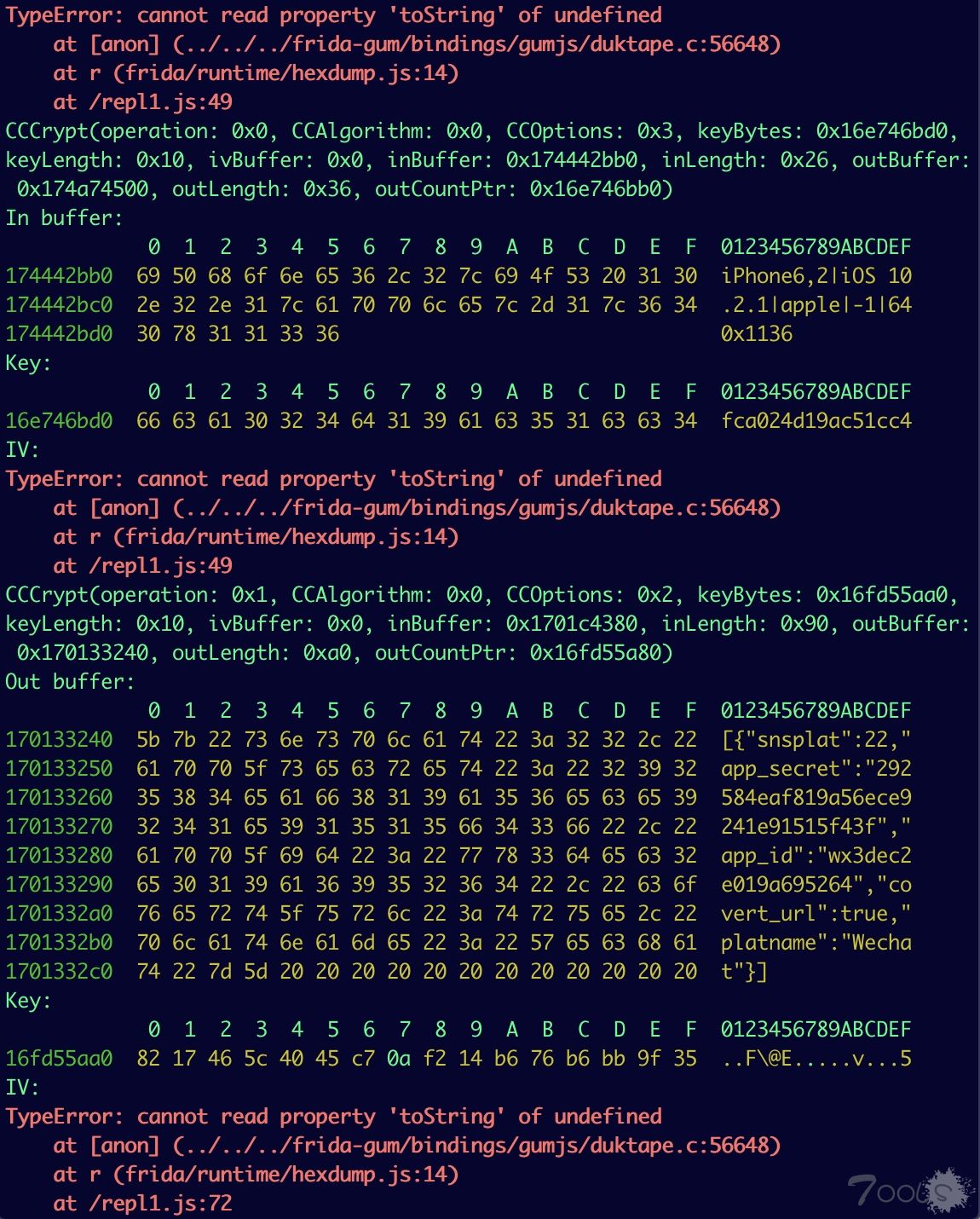
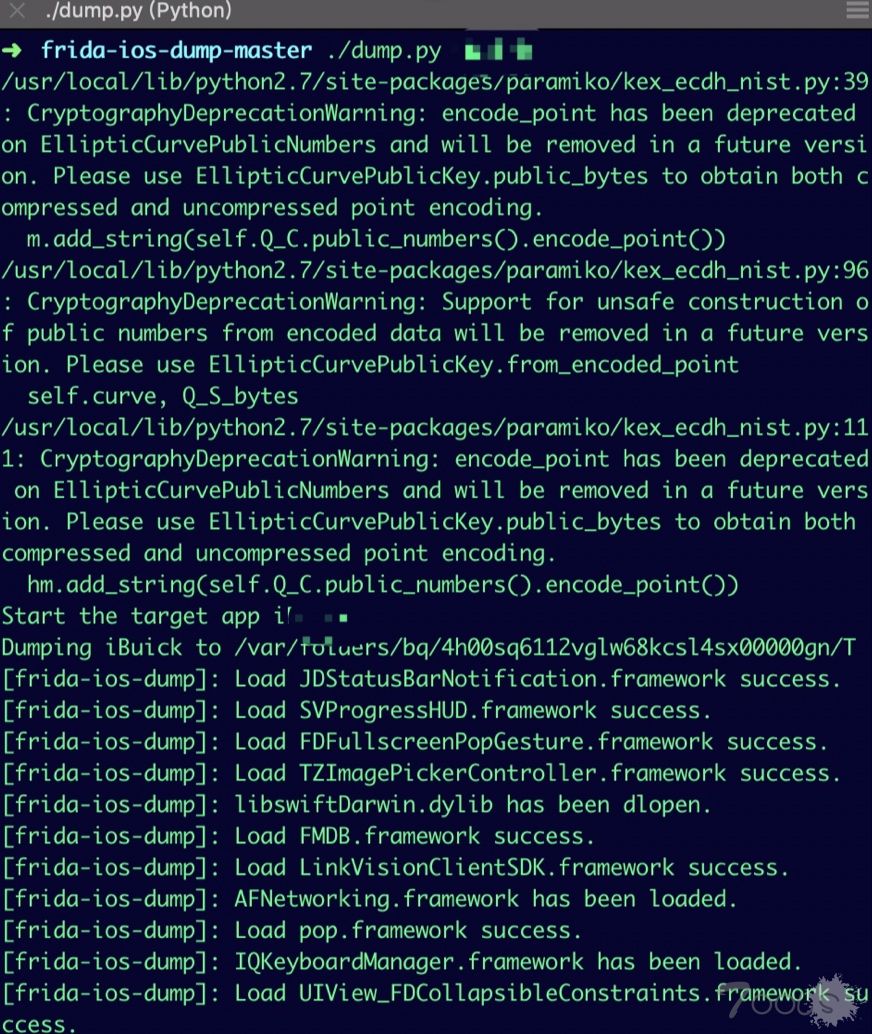
老方法,首先使用frida-ios-dump对该APP进行一键dump
ps:frida-ios-dump,该工具基于frida提供的强大功能通过注入js实现内存dump 然后通过python自动拷贝到电脑生成ipa文件,通过配置完成之后真的就是一条命令砸壳。
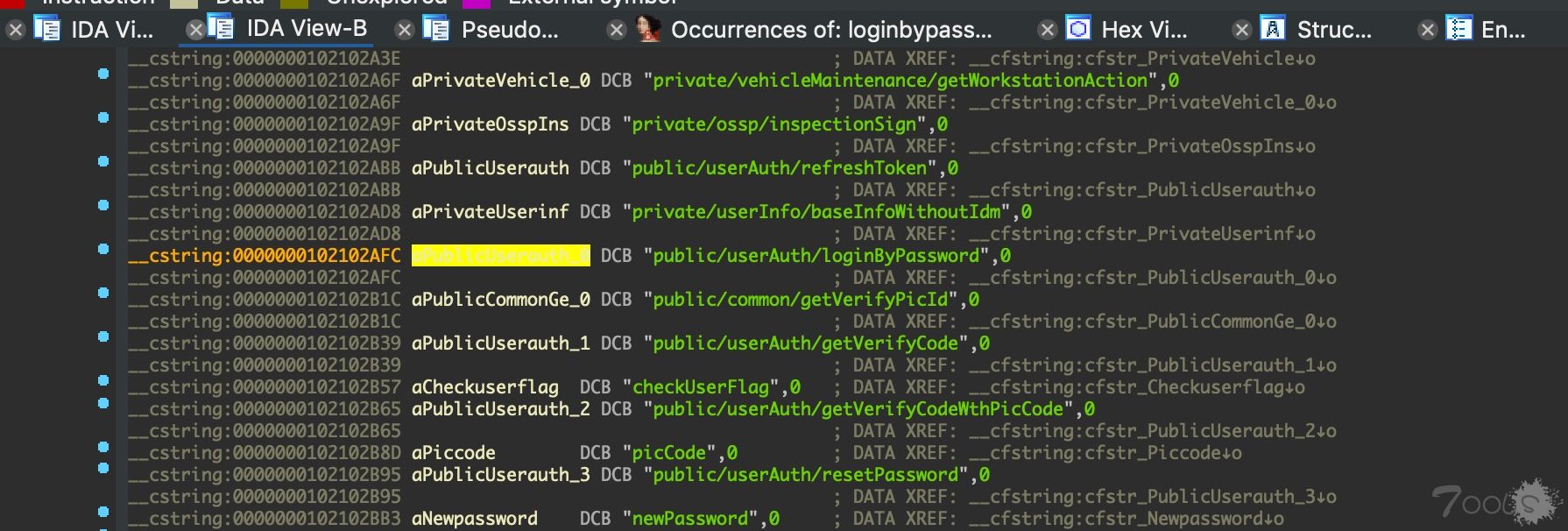
砸壳完成后会生成ipa文件,我们解压缩然后使用IDA加载完二进制文件 然后在String窗口搜索loginbypassword(这个是登录时的信息),搜索后进入对应的类,接下来我们进入这个类看它用了哪些方法
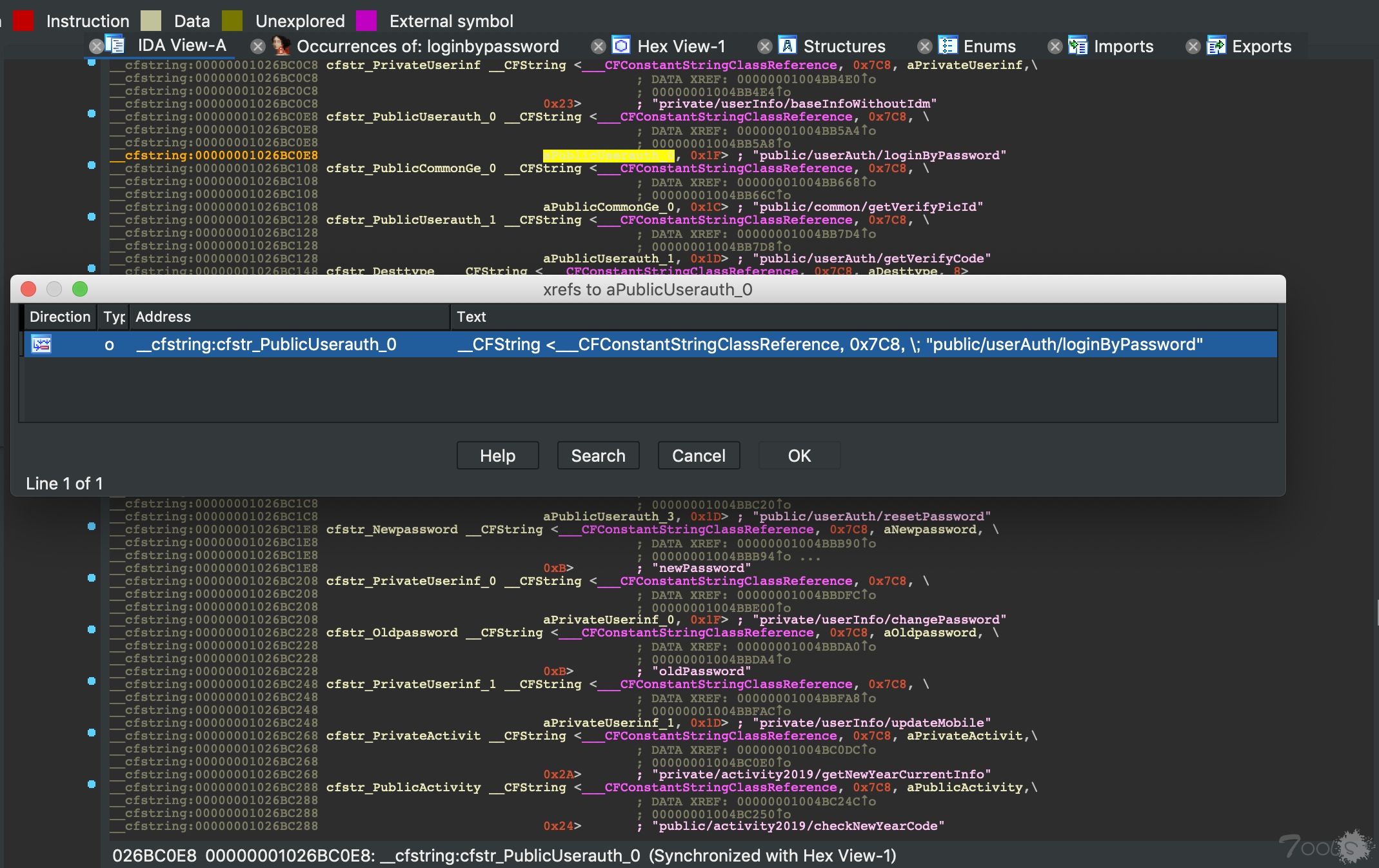
找到这个字符串引用的代码位置
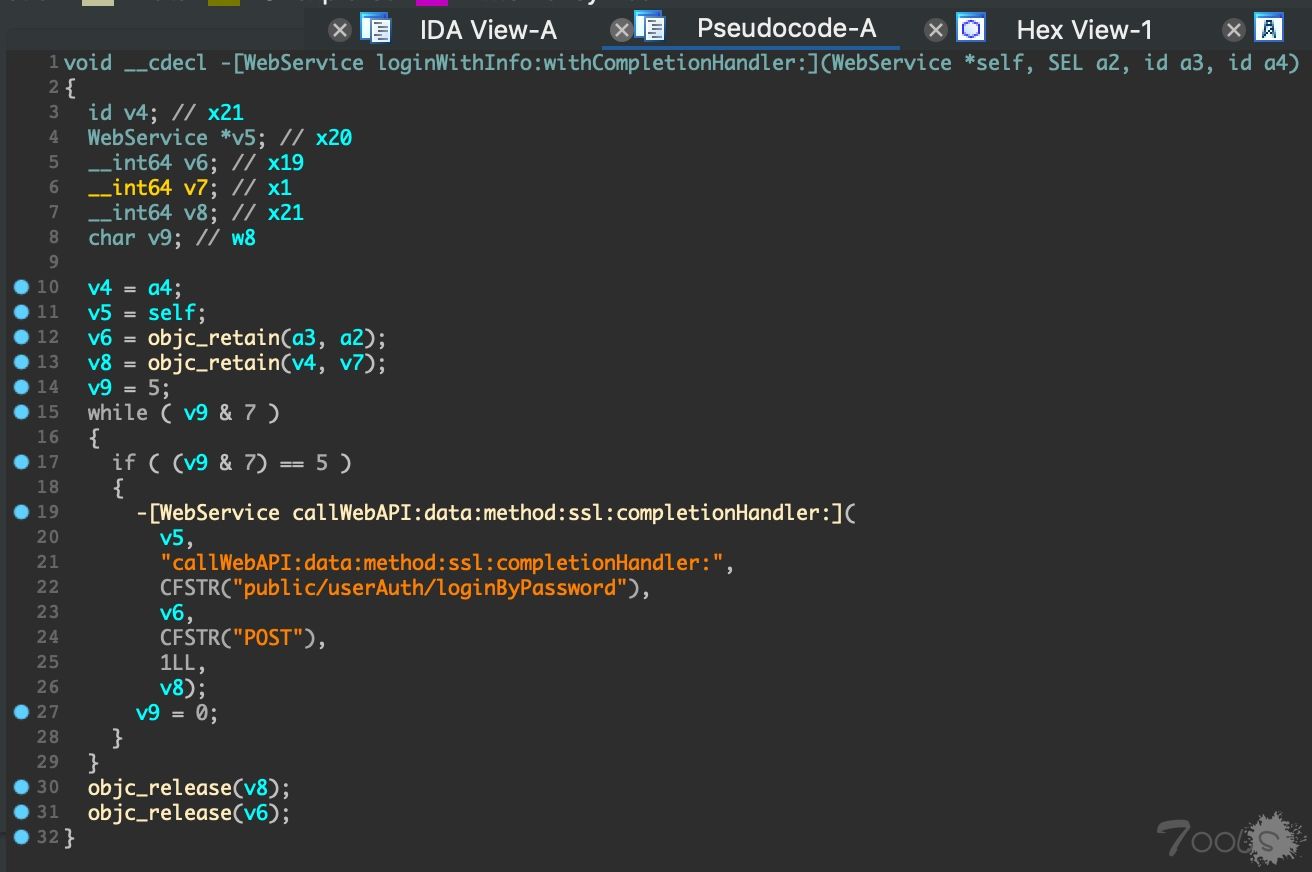
之后双击callWebAPI:data:method:ssl:completionHandler: 找到[WebService callWebAPI:data:method:ssl:completionHandler:] 然后F5一下
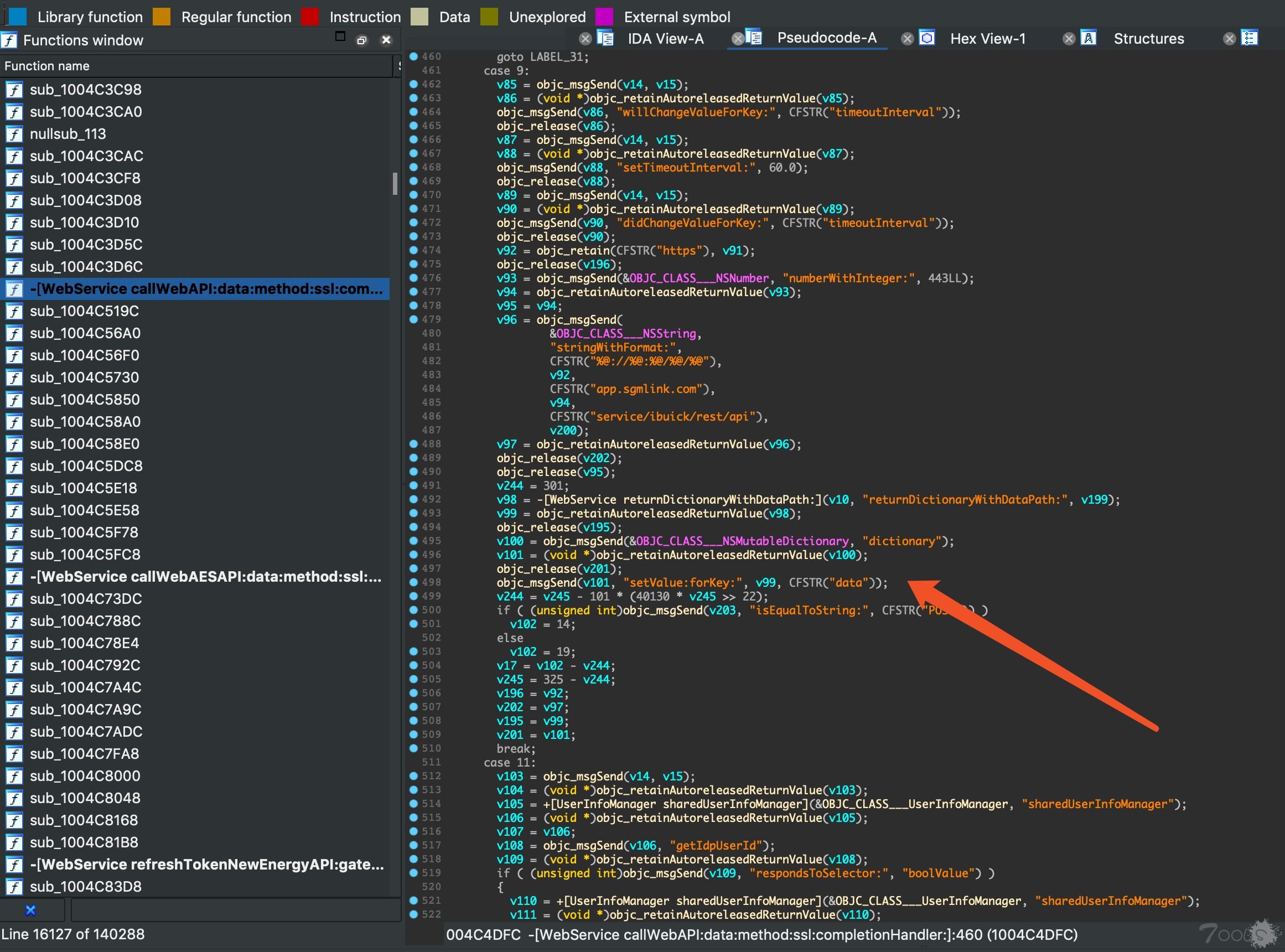
浏览该类发现可以看到data等关键加密信息,接着我们尝试搜索data前面的setValue:forKey
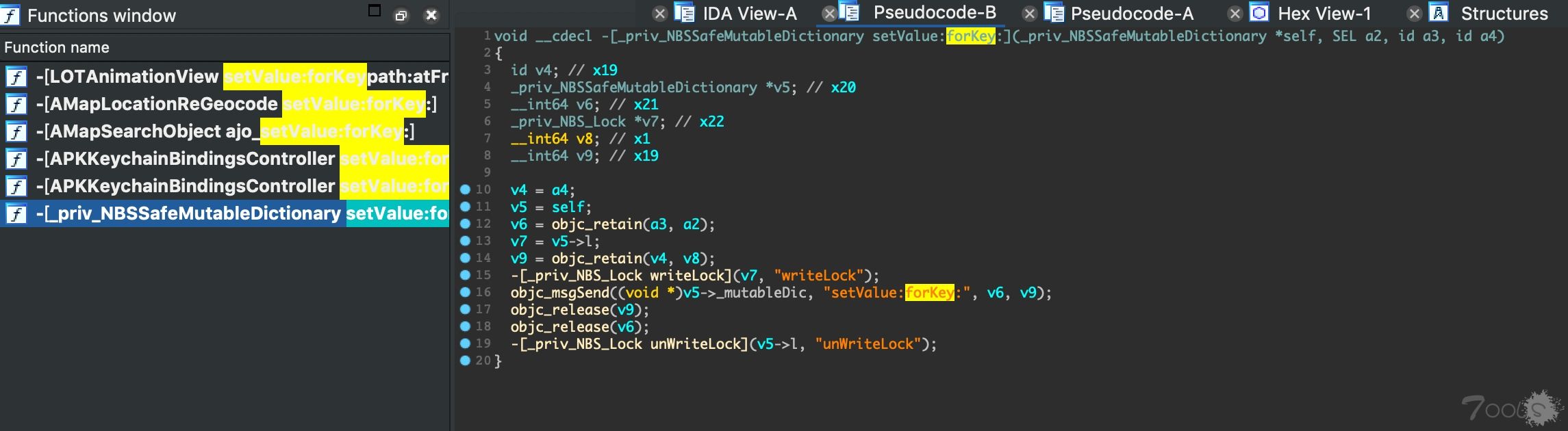
[_priv_NBSSafeMutableDictionary setValue:forKey:]查看该类发现无结果,返回上一步重新查看加密所在的类
v87由v86 = -[WebService returnDictionaryWithDataPath:](v11, “returnDictionaryWithDataPath:”, v201)返回
查看returnDictionaryWithDataPath:
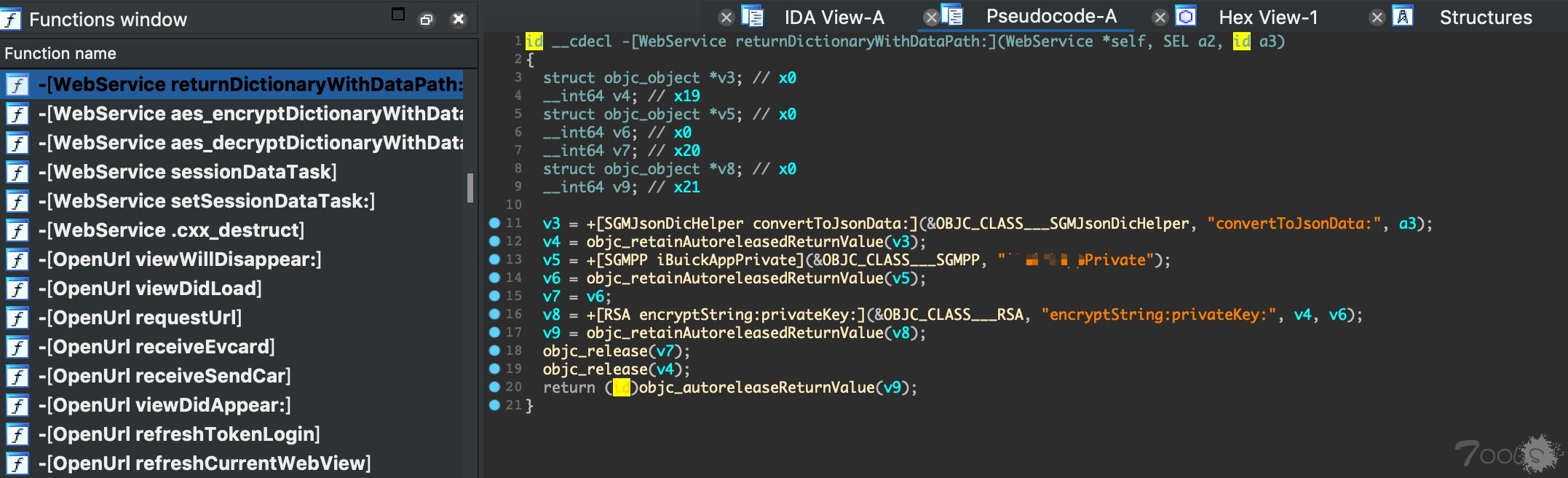
v8 = +[RSA encryptString:privateKey:](&OBJC_CLASS___RSA, “encryptString:privateKey:”, v4, v6); v4由convertToJsonData:返回(明文)v6由AppPrivate返回(密钥)
查看密钥返回函数AppPrivate和encryptString:privateKey函数
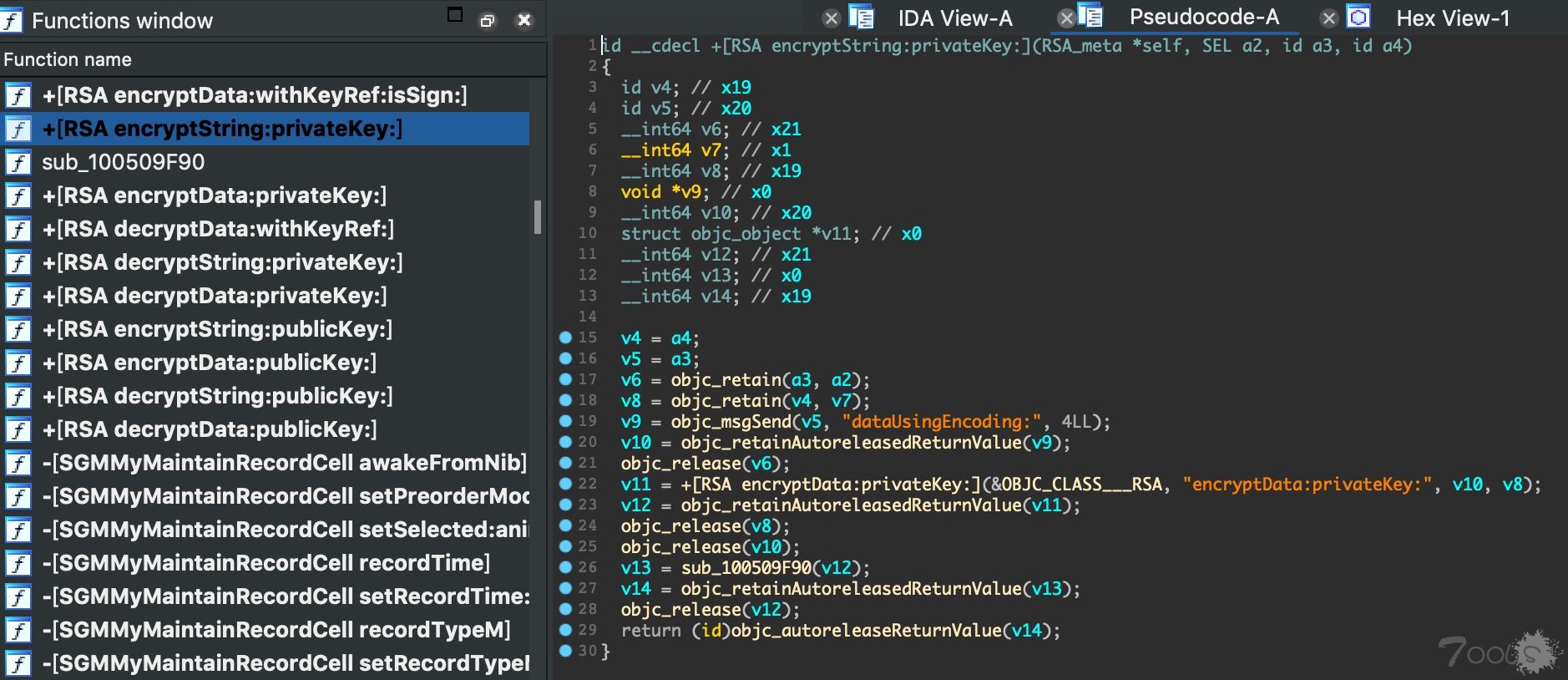
然后使用frida进行hook
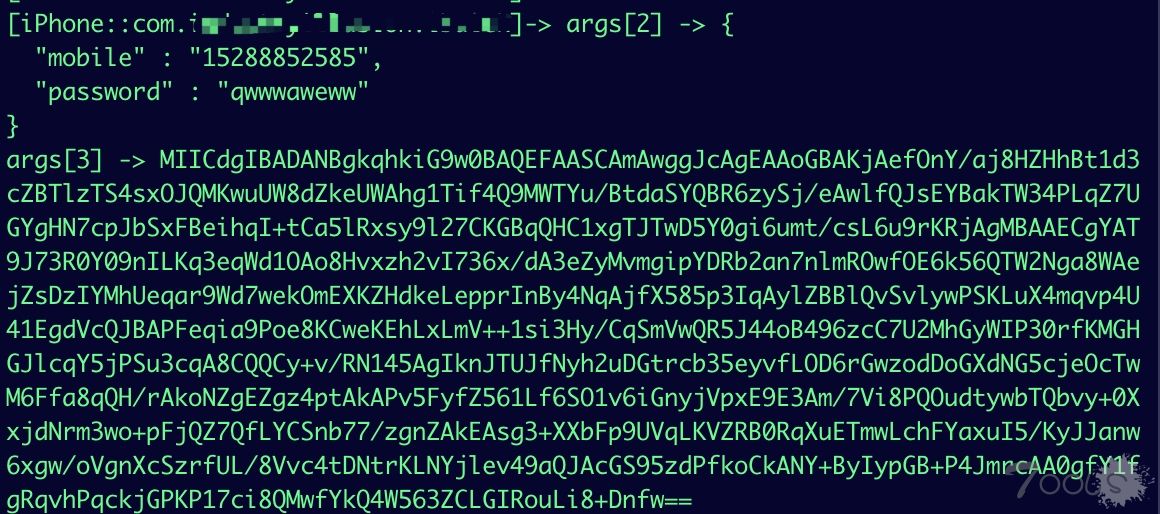
使用objection
ios hooking watch method “+[RSA encryptString:privateKey:]” –dump-args
ios hooking watch method “+[RSA encryptString:privateKey:]” –dump-return
Tips:直接使用objection的这两句命令可以达到同样的效果
附JS:
if (ObjC.available){
    try{
        var className = "RSA";
        var funcName = "+ encryptString:privateKey:";
        var hook = eval('ObjC.classes.' + className + '["' + funcName + '"]');
        console.log("<li> Class Name: " + className);
        console.log("<li> Method Name: " + funcName);
        Interceptor.attach(hook.implementation, {
          onEnter: function(args) {
            var param1 = new ObjC.Object(args[2]);
            console.log("args[2] -> " + param1);

            var param2 = new ObjC.Object(args[3]);
            console.log("args[3] -> " + param2);
          },
          onLeave: function(retval) {
            var retur = new ObjC.Object(retval);
            console.log("retval -> " + retur);
          }
        });
    }
    catch(err){
        console.log("[!] Exception2: " + err.message);
    }
}
else{
    console.log("Objective-C Runtime is not available!");
}
管理注:
本文系抄袭,投稿账号已经永久封禁。
关于作者



评论6次
这是我4年前写的文章 ,被人水到这里来了?
抱歉,审核不到位。 账号已经永久封禁。挑战底线,从严处理。
@t00ls管理团队01 https://www.freebuf.com/articles/web/204189.html
这是我4年前写的文章 ,被人水到这里来了?
有收获。APP确实与原来电脑端不太一样,好像也容易被爆。
跟着大佬学app渗透
其他不说,就这清爽的文档风格跟思路,就是好文。